YouTube Banner Size
If you want the core of the banner size, you've got it! So here ya go.
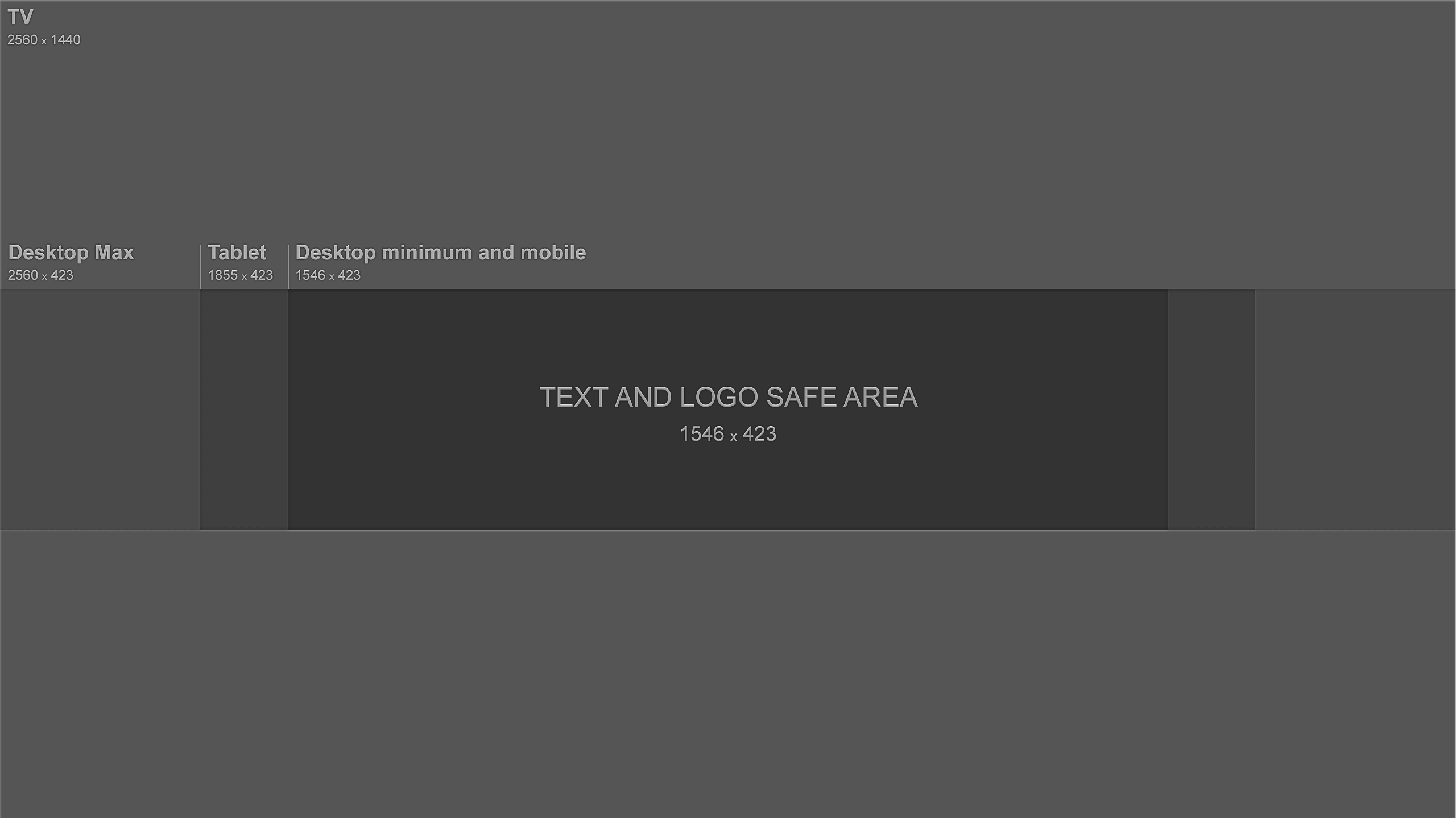
Here is the are the rules for YouTube's banner size as determined by the official YouTube documentation.
However, are you the type of person that wants to avoid wasting time, or possibly damaging your brand?
Because if so, read on, so you make sure it's perfect,and you understand the requirements.
YouTube Channel Art Requirements
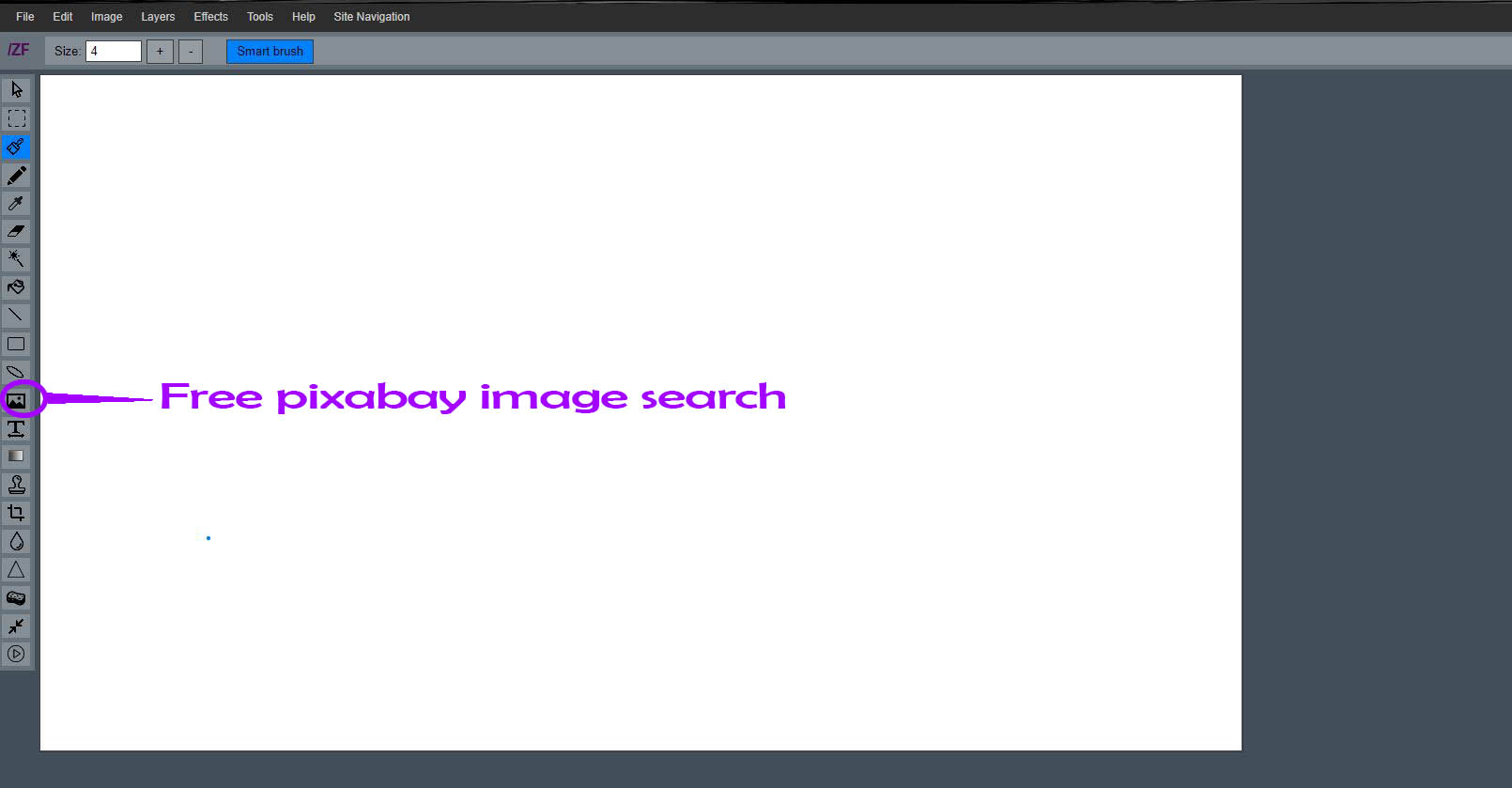
There are a couple of options when it comes to finding high-quality images. You can also use our online image editor that incorporates pixabay's free images, and we've incorporated their search right into our free online image editor for a one-stop-shop where you can do all your YouTube banner editing in one place, but if you just want to go to Pixabay feel free to head on over.
*However, keep in mind, when choosing your image that you'll want to make sure the middle is will be the main focus and that it stands alone (as in this is the part you want to make sure is seen on all devices).
You can search images within our online editor by clicking this button:
Pexels is also a great resource to grab high quality images for free.
So once you find your perfect image (or make it with our free editor), you're set to upload it to YouTube.
So since, we got the hard part done, and you have your image and it's edited all nice, you'll want to actually upload your image to YouTube. Once you upload your image to YouTube and click on 'edit,' you'll notice that the image can only be cropped around the center point.
You'll also want to take special care where your organization names, logos, and people (faces and whatnot) are placed. Because you most likely don't want to cut them off of part of one of those things in your YouTube Channel art is going to hinder your branding and marketing goals.
Excellent YouTube channel art doesn't just make your channel look amazing, but it also instills some legitimacy for your channel. If you have a channel where all the banners are pixelated and look horrible visitors will swiftly click off because you don't seem legitimate.
Going by YouTube's guidelines the recommended channel art size is 2560 px (pixels) wide by 1440 px (pixels) tall, which you can see below.
Keep in mind this is the recommended maximum size, and it's only the "recommended" size because it's the biggest your channel art will ever appear. This doesn't take into consideration anything else, such as how it will look on various devices.
The area that will always be seen is the area in the center or the area that says "TEXT AND LOGO SAFE AREA," and that area is only 1546 x 423, but this is the most crucial area to keep in mind. Because everything outside of that area is never guaranteed to be seen, it's more or less a "bonus."
This is why it's crucial to understand how the different YouTube layout versions work for you to make your channel art look bomb-diggity-om!
So make sure you keep your image at least 2560 x 1440 pixels and that'll set you up for success.
Having your image be this size (2560 x 1440) will ensure that no matter what device it's shown on it'll still appear correctly.
Feel free to use our editor here or grab some free photos from Pexel's.

A quick checklist of everything you'll need to create your sweet YouTube channel art.
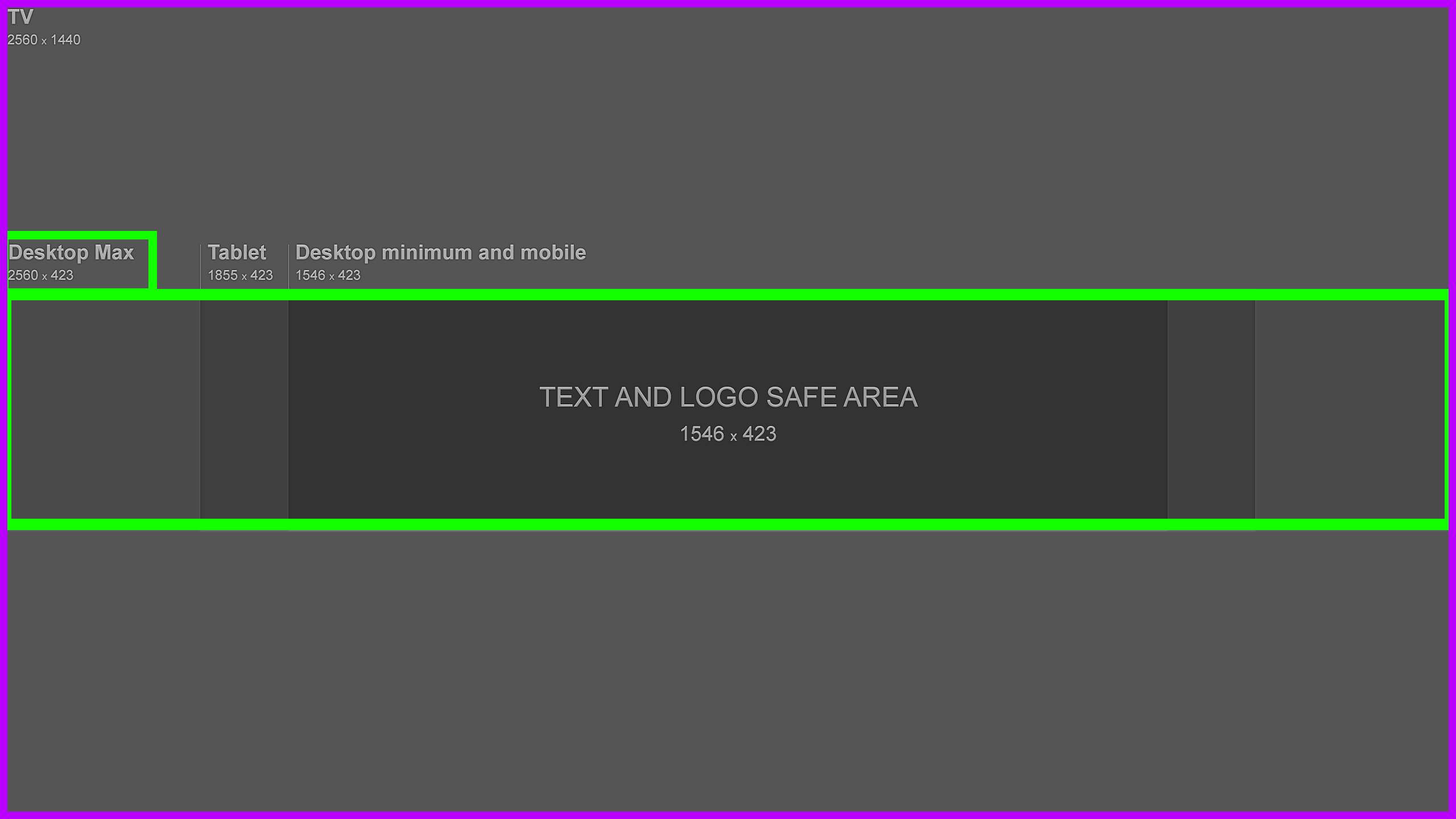
Desktop View
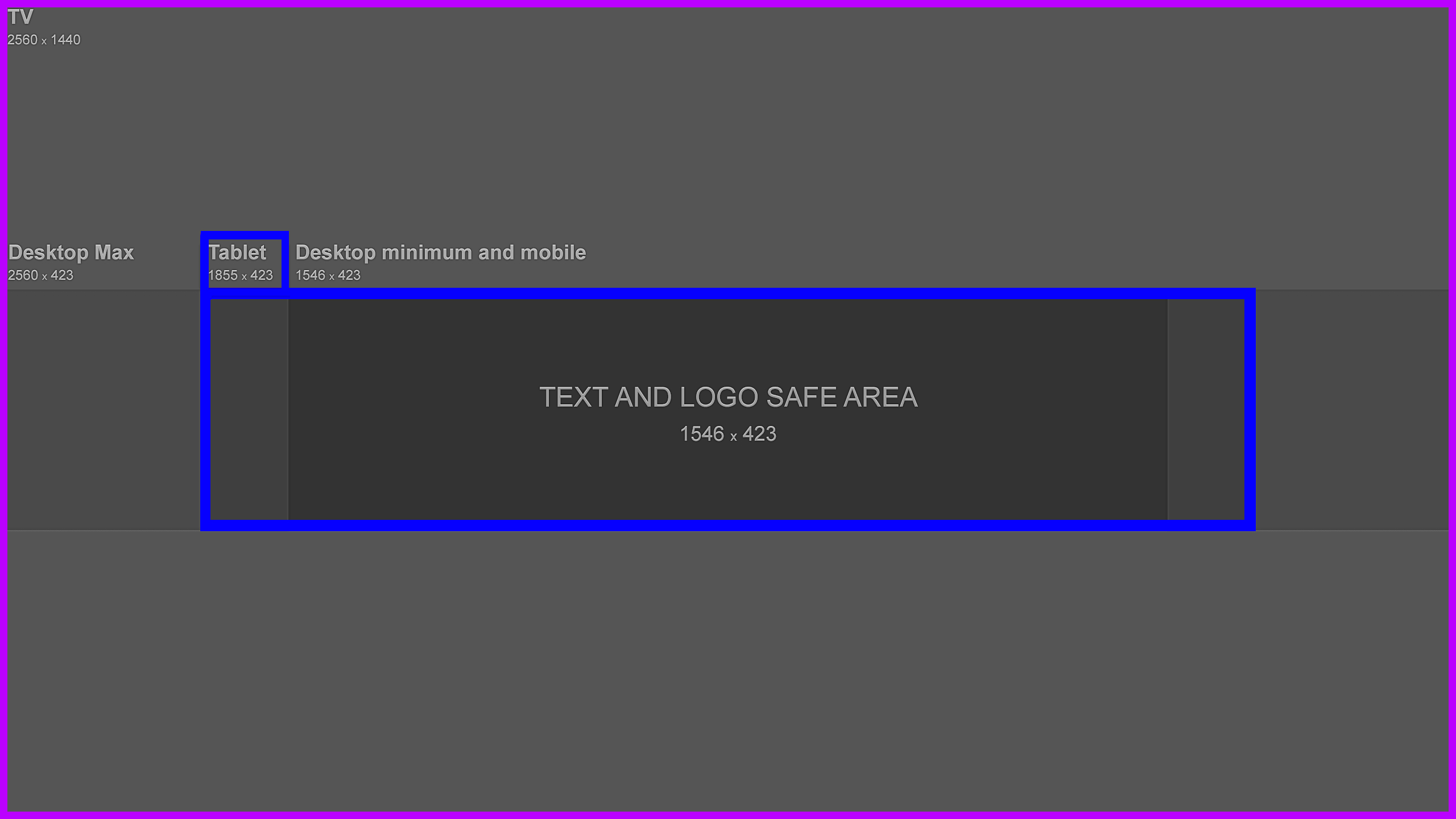
Tablet View
Min Desk & Mobile
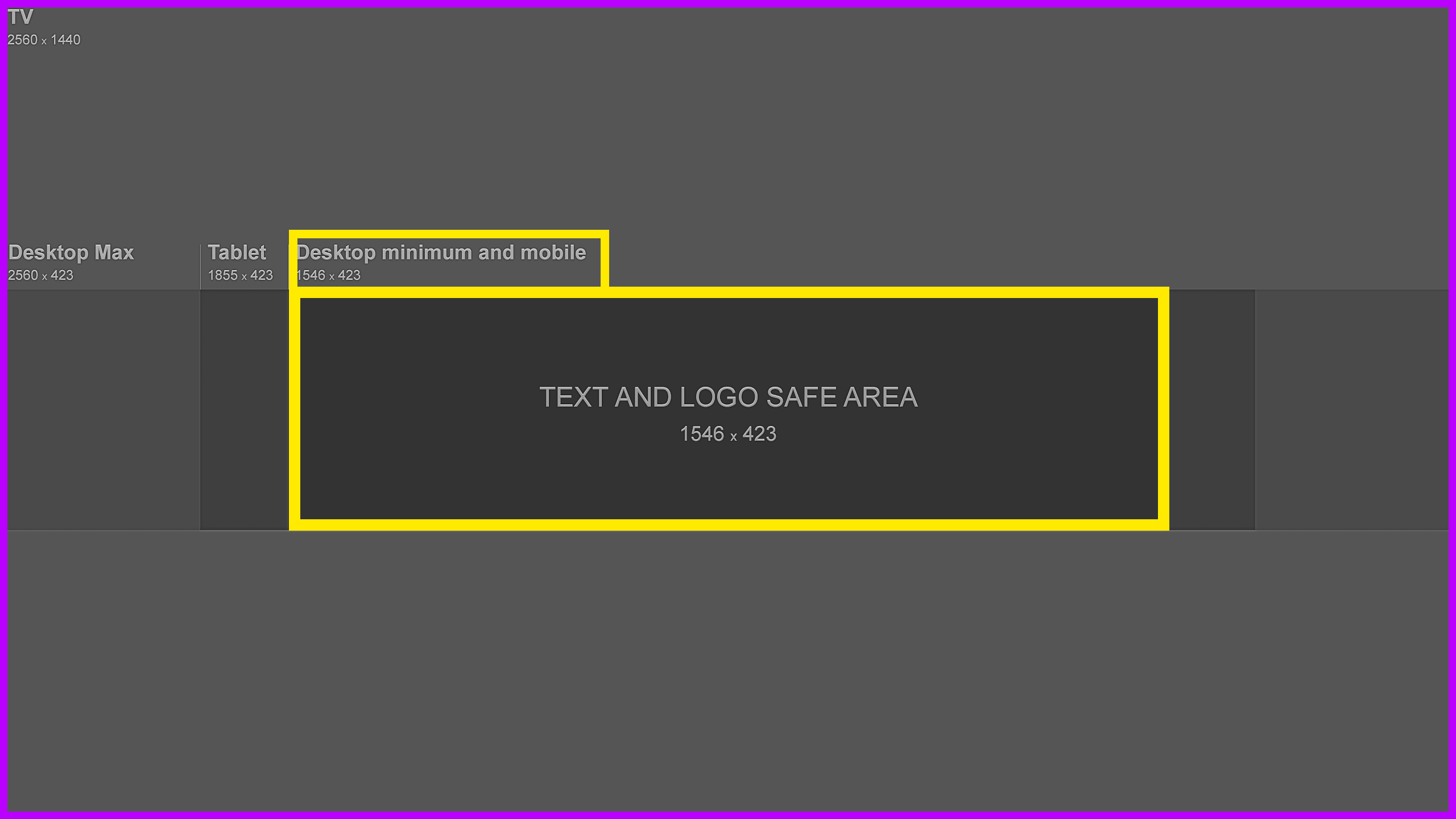
So this is the main banner image size "guideline."
We'll explain each area in a bit more detail below.
1st Critical YouTube Banner Area
This is the area you want to make sure contains the main content, or purpose you have an image in the first place. As long as your most important areas fall within the 1546 x 423 pixels area you're good to go. But again, make sure nothing that is outside that area is of true importance, such as logo's or people.
2nd Most Critical YouTube Banner Area
This area is the second most important area. It's the area. When your logo is viewed on a tablet it's the area that is viewable.
3rd Most Critical YouTube Banner Area
This is the area that is seen on desktops at max. Everything contained within the 1st, 2nd, and 3rd areas, with the 1st area beingthe most important.
So the three areas discussed above that are the most important.
4th Most Important Area
The purple area (minus the areas we discussed) are true bonus areas.